Next webinar | Ditch the Spreadsheets: Bring Everyone Together and Streamline Your Activities!

From sketch to construction monitoring: steer your architecture projects with WEDO
Efficient Construction Project Management: Control Your Architecture Projects with WEDO
In an architecture firm, every project is a journey—from initial concept to final sign-off. Yet, between team meetings, client alignments, contractor coordination, and schedule tracking, project management can quickly become overwhelming. Scattered files, overflowing inboxes, and manually compiled meeting minutes slow down your creativity and put your deadlines at risk.
Construction projects present several key collaborative challenges:
-
Orchestrate multi-stakeholder collaboration and master information
Centralise document versions, decisions, and responsibilities to avoid duplicates, data loss and miscommunication.
-
Meet deadlines and control variances
Visualise key milestones, track dependencies, and receive notifications to keep projects on schedule.
-
Ensure compliance and structure construction business processes
Plan regulatory steps (permits, tenders, safety) using standardised checklists and a clear audit trail.
-
Manage contractual risks and clarify responsibilities
Clarify project scope, document changes, and archive decisions as formal proof.
-
Align the project teams operationally
Assign the right task to the right person at the right time with the right information—and host effective meetings.
-
Promote seamless external communication
Structure communications with clients, consultants, and contractors to ensure full traceability on decisions.
-
Tracking overall project progress
Rely on a clear dashboard (workload, progress, priorities) to make fast, informed decisions.
What if you could centralise all these aspects in a single, intuitive, and collaborative space?
In this article, discover how WEDO helps you manage your architecture projects from start to finish—from initial design all the way to final handover. The tool becomes your digital master plan to streamline communication, coordinate teams, and maintain control of every stage of the project.
In this article, we show you specifically how an architecture firm can leverage WEDO to turn project management into a true competitive advantage.
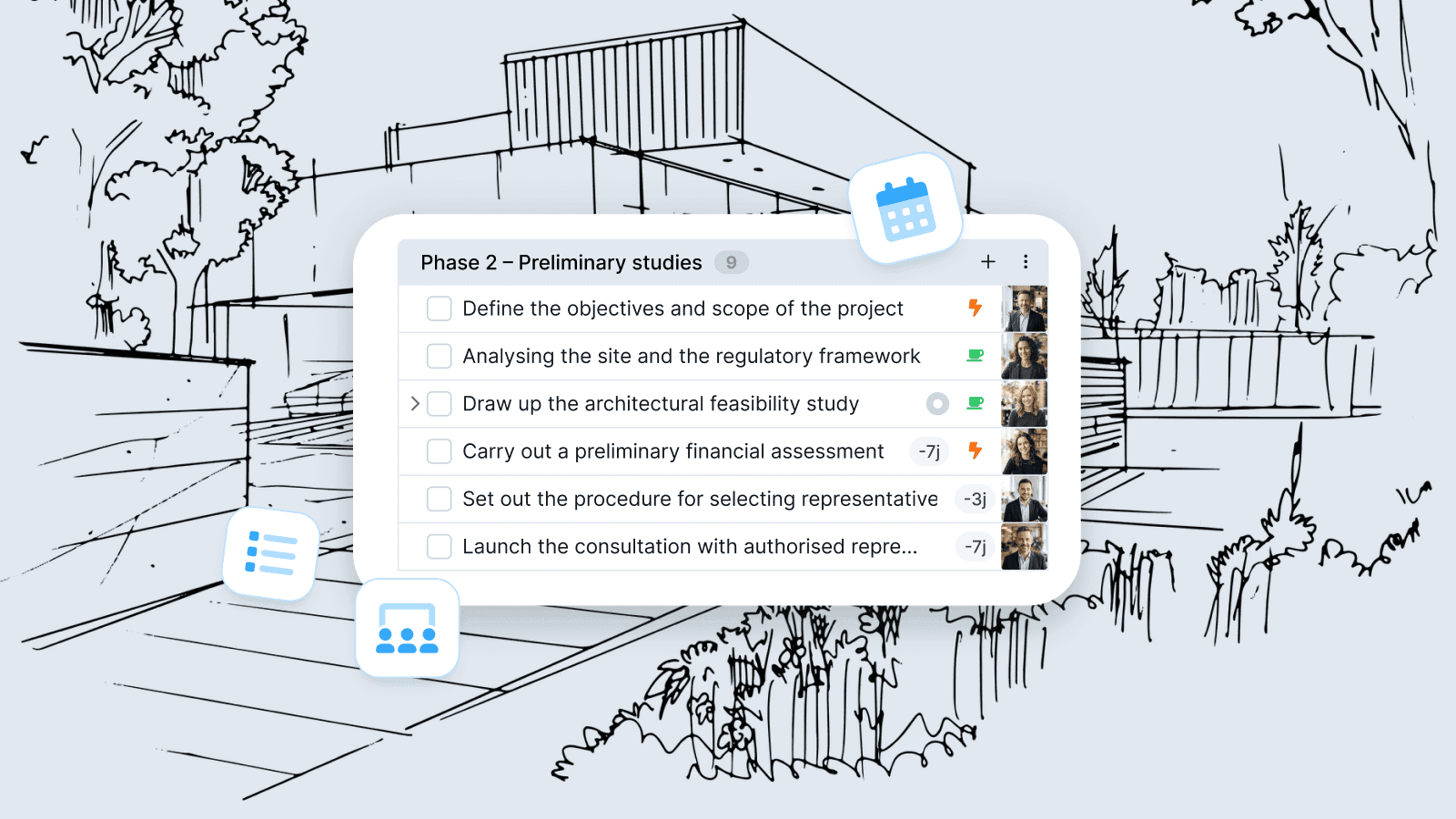
Architecture & construction: manage your projects with WEDO
In a Swiss architecture firm, most projects follow the established framework of SIA 102. This standard outlines the stages of a project by structuring them into 5 key phases, which serve as a common thread from the start to the end of the mandate:
- Strategic definition: Statement of requirements and methodological approach
- Preliminary studies: Construction project definition, feasibility study, and consultant selection procedures
- Project development: Preliminary design, final design, and planning permission procedure
- Tendering: Tenders, bid evaluation, and award proposals
- Realisation: Execution design, construction execution, commissioning and handover
The real challenge isn't reinventing the process every time, but applying it consistently and on schedule from one project to the next.
This is precisely where WEDO delivers real value: providing a stable, unified framework that structures your project management. Meeting minute templates, checklists tailored to your project phases, clear ownership, and centralised tracking ensure you meet critical milestones and maintain consistent oversight—regardless of team size or project complexity.
The result: fewer omissions, fewer budget or schedule variances, higher repeatability, and consistently high execution quality from initial draft to final handoff.
Create a "Project Template" workspace tailored to your internal structure
To keep your project tracking consistent, start with a template workspace built around your key phases, milestones, and tasks. You'll standardise your approach and ensure smooth execution across every project. 🚀
For each new project, just duplicate the template to get started right away with seamless, end-to-end tracking.
Key steps to build your template space in WEDO
-
Structure phases using sections
Create one section per project phase to establish your framework —for instance, aligned with the SIA 102 phase structure.
-
Import/create tasks for each phase
Define the actions required at every step.
💡 If specific tasks are always handled by the same people, assign them directly within the template space.
-
Set milestones to highlight key moments
Milestones serve as core reference points within each phase—such as completing the preliminary study, kicking off the design phase, or securing final sign-off upon completion.
💡 You can assign a milestone to a responsible person to ensure completion, and set a target date if needed.
-
Choose the relevant tabs for your template workspace
Select the active tabs and set your default view. For project management, we recommend enabling:
- Overview: Description, team members, status, charts, and overall progress
- Meetings: Preparation, execution and follow-up for your project meetings
- Tasks: List, Kanban, or Table views, with sorting and filtering tailored to your needs
- Gantt: Timeline planning for your project tasks
- Files: Shared documents and essential links
- Activity feed: Stream of key updates (status changes, notes, completed tasks, comments, decisions)
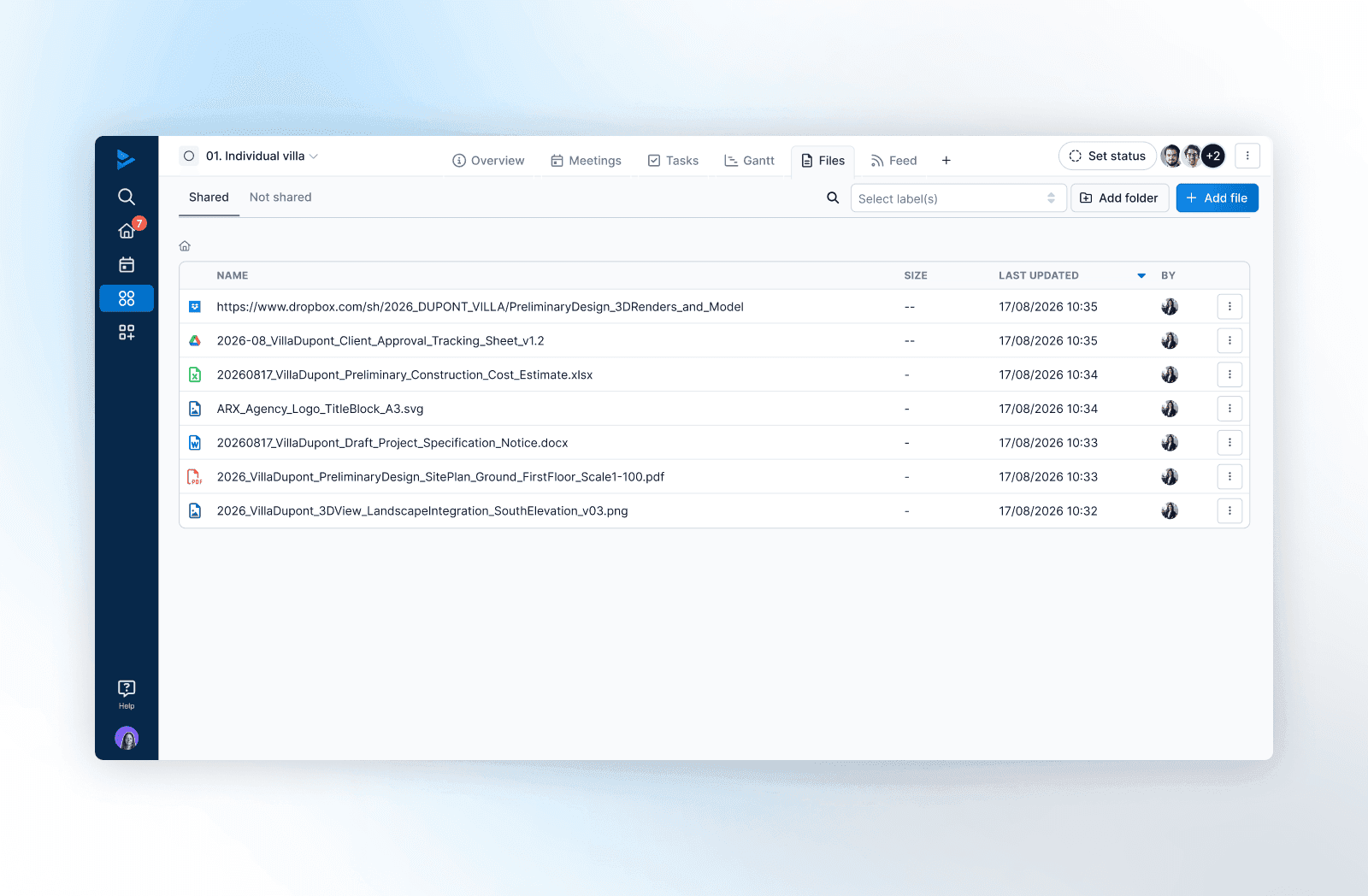
Manage your projects, visualise progress, and anticipate schedule delays 🚀
Ready for your next project? Duplicate your template space and get started in a few clicks.
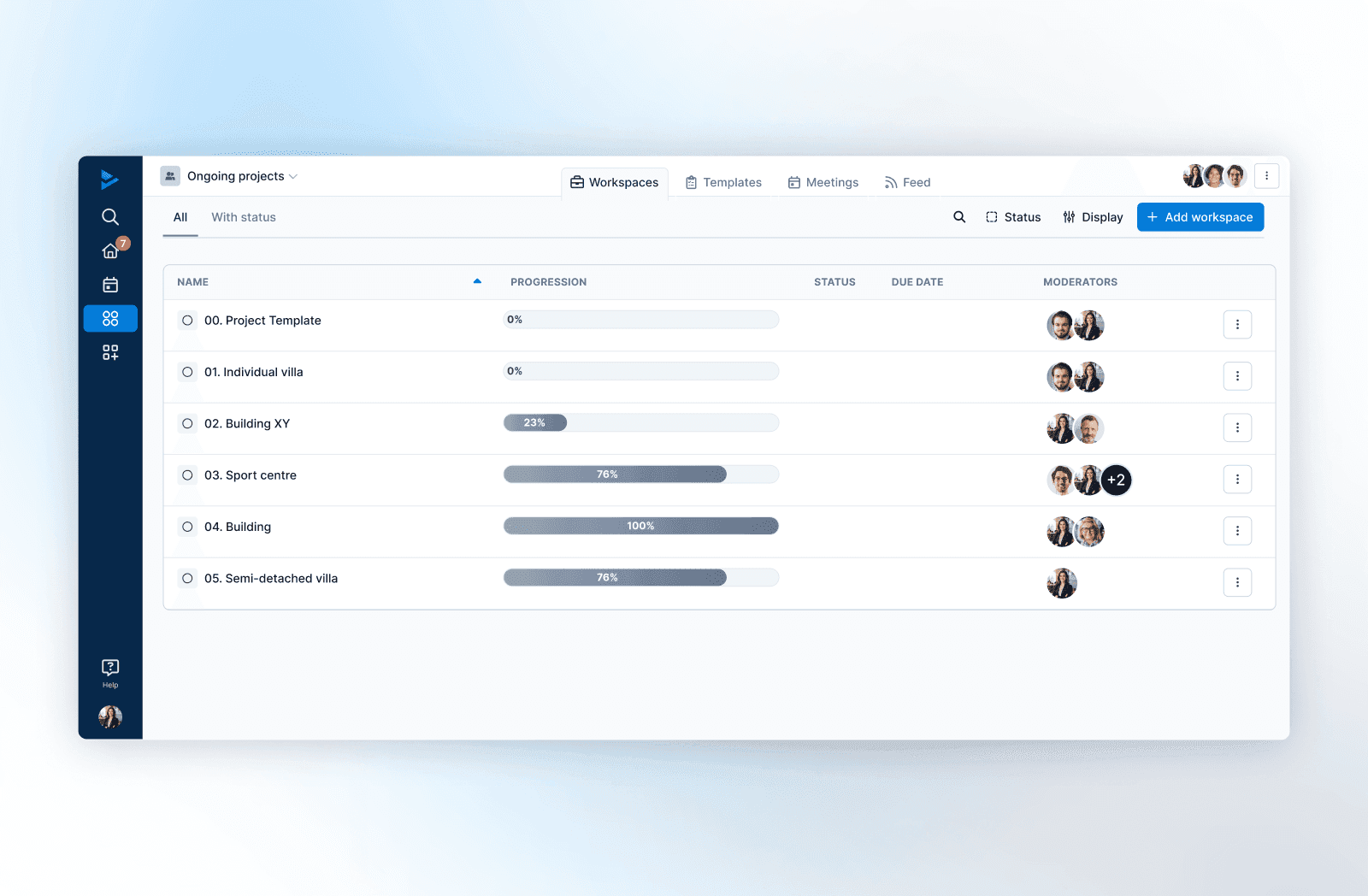
✅ Then manage your project seamlessly using these task tools:
Sort tasks by sections
View key project phases alongside all listed tasks and milestones in one central place. Effortlessly move tasks between phases using intuitive drag-and-drop.
Set deadlines
Quickly assign due dates using the magic wand tool or by selecting multiple tasks at once. Save valuable time when scheduling upcoming deadlines.
Establish dependencies
Prevent premature starts: set task dependencies (such as a series of actions tied to a milestone) to orchestrate execution order, hold off unready tasks, and automatically reflect any shifts in your overall timeline.
Display the Gantt view for efficient planning
Switch to the Gantt view with a single click for a visual timeline of your project. Reorganise workflows directly on the chart: reassign task owners, adjust task durations, add sections, and shift dates automatically whenever linked dependencies change.
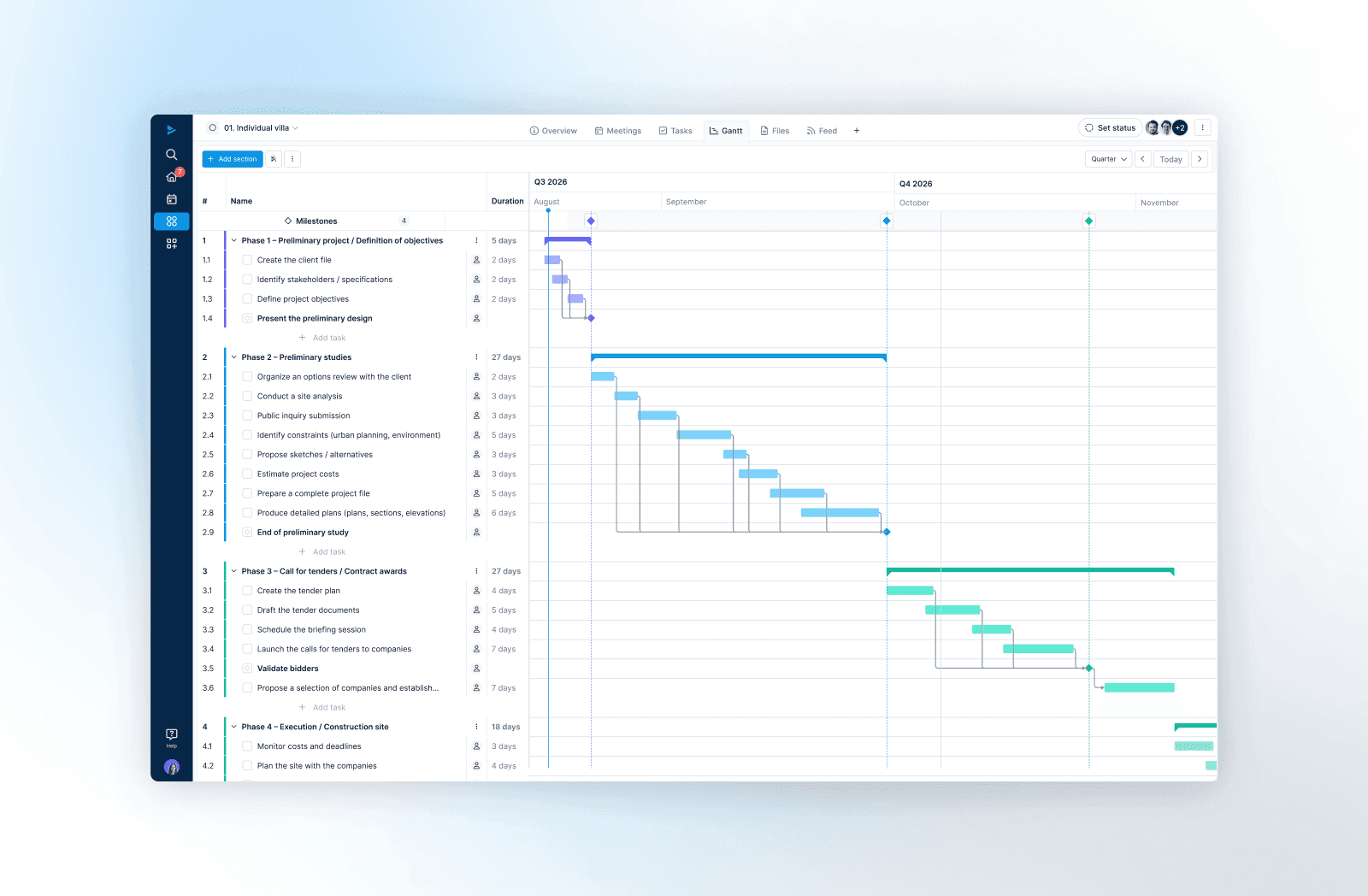
Assign a status to each project and get an instant full-picture view
Because architecture and construction projects move through clear stages, WEDO lets you define statuses right at the workspace level—pairing each update with a note or key information visible to all team members. Learn in detail how to manage your projects effectively without losing sight of what matters most.
In the rest of the article, we highlight WEDO’s essential features for project communication (shared statuses, meeting minutes, custom views, and filters) to ensure clear, traceable, and accessible information for the entire team.
Activity Feed
The activity feed centralises everything happening in your workspace in real time. At a glance, track updates, decisions, and discussions without navigating through multiple tabs—giving you a clear, hassle-free snapshot of your project's progress. Through the activity feed, you can:
- Consult the history of project status updates
- Access global project notes in a single click
- Track the latest completed tasks
- Browse comments posted within tasks
- View decisions recorded during follow-up meetings
The Overview Tab
In the Overview tab, start by defining the framework: describe the project objective, scope, major constraints, and upcoming milestones in a few lines. Then identify the team: name the project managers as moderators and clarify each person's role so everyone knows who leads, who contributes, and who approves.
The latest status is displayed right at the top of the tab, giving all stakeholders immediate visibility into where the project stands and which updates were recently published. This view also highlights the project start and end dates, providing instant context for the overall timeline.
Two key charts immediately reveal the project trajectory: the burndown shows the speed at which remaining work is reduced (adherence to deadlines, execution pace), while the burnup reveals actual progress against total scope. These charts make it easy to spot deviations, anticipate risks, and keep the team fully aligned on the final goal.
Project Portfolio View
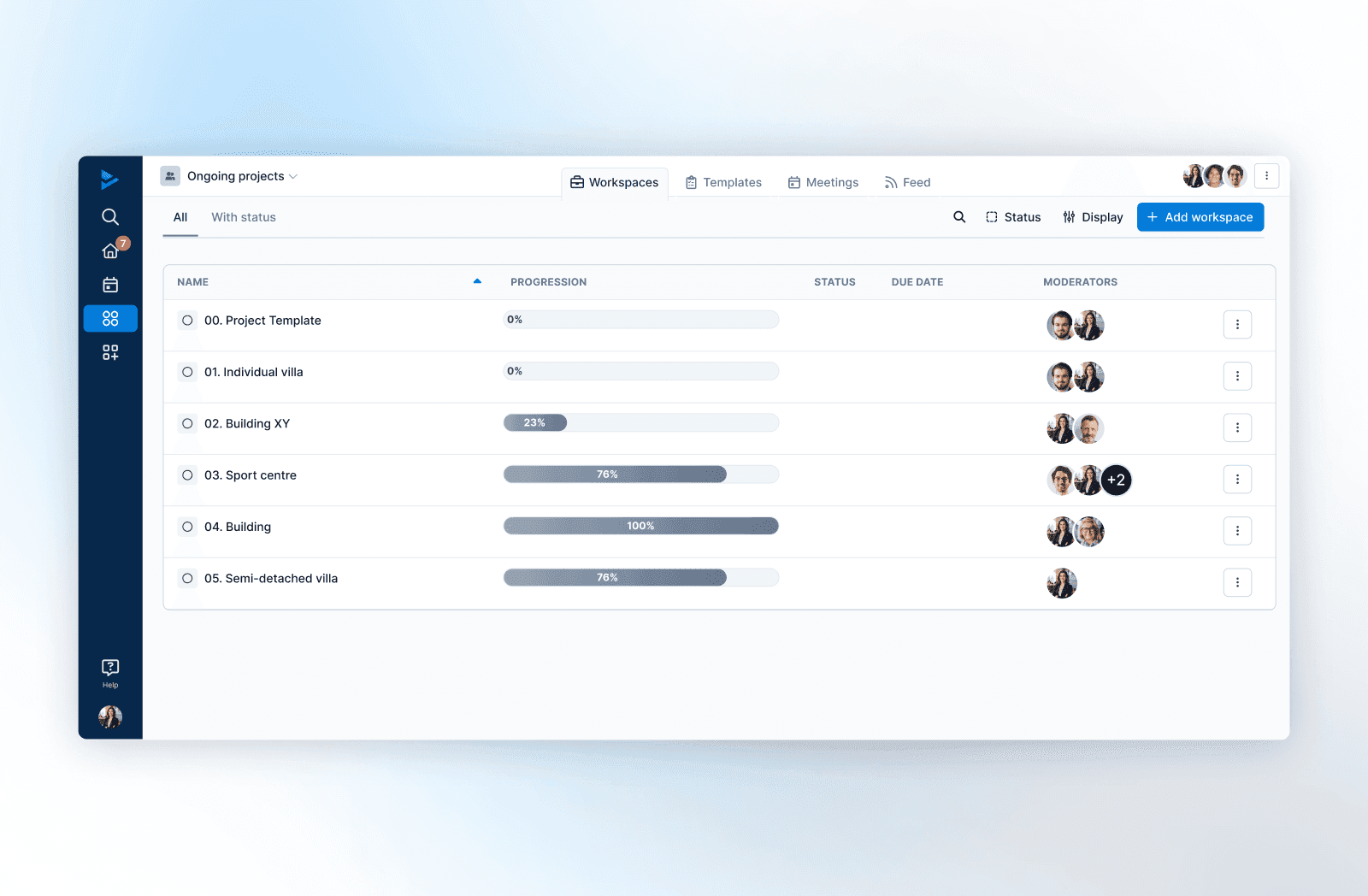
In WEDO, you can create a team that brings together multiple projects and obtain, at a glance, a global overview of progress based on the percentage of completed tasks. This summary view displays each project's title, overall progress, current status, due date, and moderators—typically the project managers. It is perfect for prioritising, detecting gaps, and managing your portfolio without losing track.
Sorting Projects by Progress, Status, or Due Date
From this overview, sort your projects in a single click on the column header:
- display them based on their progress percentage
- classify them by status — to quickly group files that are "on track", "at risk", "delayed", "on hold", or "completed".
- or by due date in chronological order (ascending or descending).
This overview is ideal for bringing emergencies to the surface, planning priorities, and keeping a clear view of all ongoing projects.
Structure, Decide, Track: Your Project Meetings Optimised
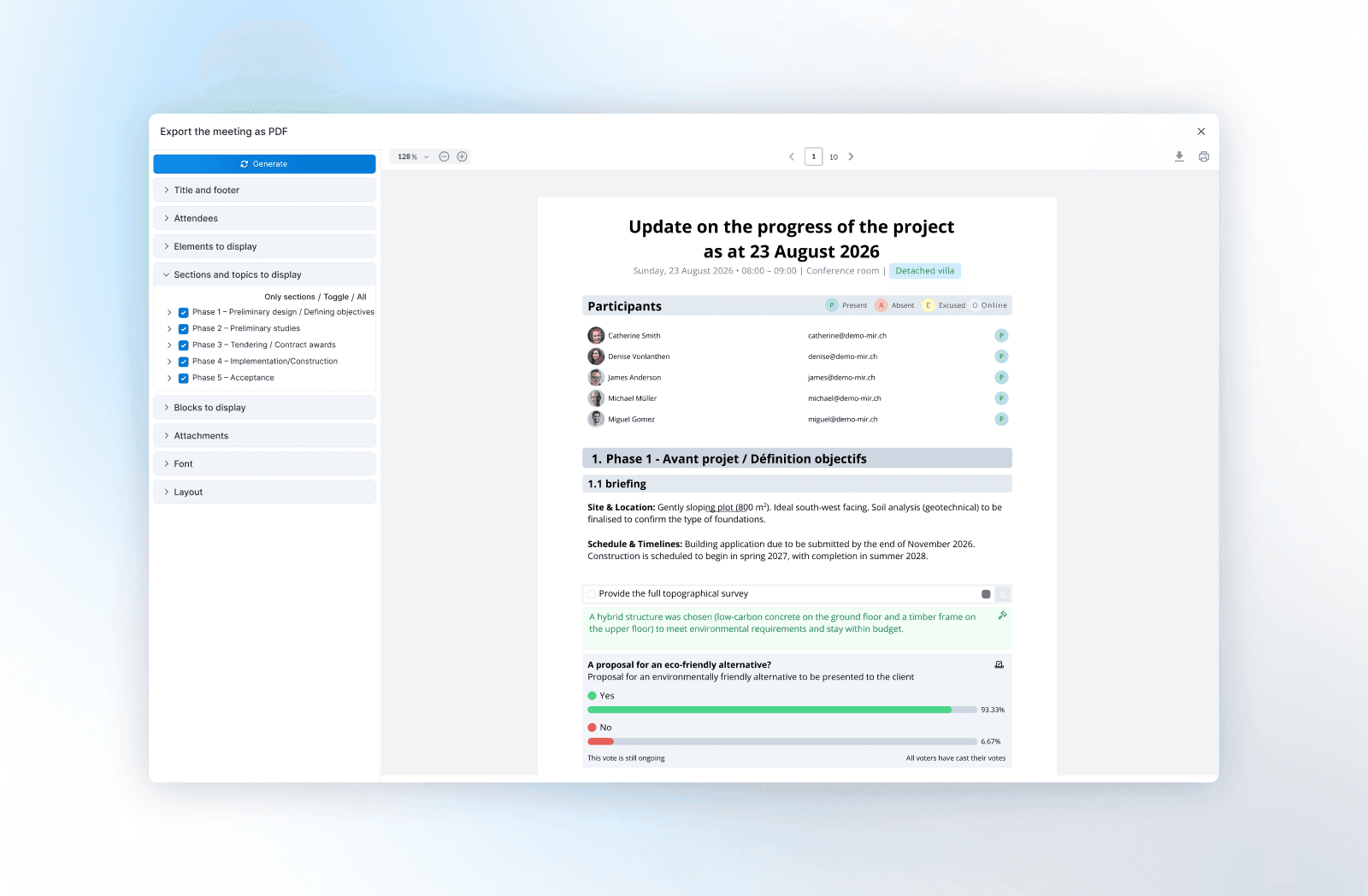
WEDO’s Meetings module serves as your cockpit for project follow-ups. Prepare agendas as a team (topics, attachments, objectives), frame sessions using reusable templates tailored to key phases, then decide and track: every important decision is recorded, timestamped, linked to the project, and accessible to everyone.
🎯 The Goal: Systematically track client discussions to showcase superior follow-through and strengthen long-term client relationships.
Turn discussions into actionable plans:
- In-Meeting task assignment: Create and assign tasks directly during the meeting by setting clear owners, deadlines, and priorities—instantly turning talk into execution.
- One-click minutes: Generate complete meeting minutes with a single click and distribute them immediately to all key stakeholders.
- Seamless continuity: Transition effortlessly into execution tracking using your preferred view—List, Kanban, Table, or Gantt chart.
Result: Shorter meetings, binding decisions, and project execution that never gets lost in email threads.
Collaborate with External Stakeholders
Engineers, engineering offices, specialised consultants, and external partners: WEDO enables you to effortlessly integrate external team members into your architecture projects while maintaining complete control over access permissions and content.
🔒 Full Access Control: Precisely define who can view, edit, or contribute to specific workspaces, tasks, and documents.
How to Streamline External Coordination:
- Controlled access to project workspace: Invite your consultants as external users and give them access strictly to the workspace of the project relevant to them. They can consult the context, review key documents, and track overall progress across every project phase.
- Task delegation and tracking: On the task management side, delegate actions by setting clear assignees and due dates. Every stakeholder knows what is expected, giving the team a shared, up-to-date view of overall progress.
- Flexible meeting access controls: Flexibly manage permissions for agendas and meeting minutes. Grant external partners editing rights to contribute agenda items, or set read-only access depending on the project phase.
- Centralised document management: Attach blueprints, technical documentation, and files directly to tasks, meetings, or shared project repositories.
- Centralised communication: Use built-in task chats and protocol comments to streamline communication with external planners, eliminating scattered email threads and ensuring complete decision traceability.
7 Reasons Why Architecture Firms and Construction Professionals Choose WEDO
 1. Orchestrate collaboration and master information
Structured project spaces, clearly defined roles, a decision log, and centralised documentation.
2. Meet deadlines and control variances
Mark important milestones, set dependencies, schedule using Gantt charts, and track progress indicators in real time.
3. Ensure compliance and structure processes
Create standardised templates tailored to industry standards, access timestamped activity feeds, and store all project records securely.
4. Manage contractual risks and clarify responsibilities
Update project status, ensure full traceability of major decisions, and maintain centralised tracking and evidence tied directly to tasks and meetings.
5. Align teams on operational execution
Assign tasks with clear owners and due dates, use flexible task views (List, Kanban, Table, Gantt), and run structured meetings that generate action items on the fly.
6. Streamline external communication and empower stakeholders
Collaborate with external parties on a unified platform, delegate tasks, and distribute meeting minutes and technical documents securely.
7. Drive portfolio-wide visibility
Access clear dashboards and a multi-project overview displaying status, percentage of completed tasks, upcoming deadlines, and assigned project managers.
WEDO establishes the framework, streamlines tracking, and keeps your teams aligned. Built on robust structure and end-to-end traceability, communication stays clear and project goals remain on target—from first draft to final project handoff.
Want to see WEDO in action? Book a guided 30-minute demo tailored to your specific needs and workflows. Schedule a Demo
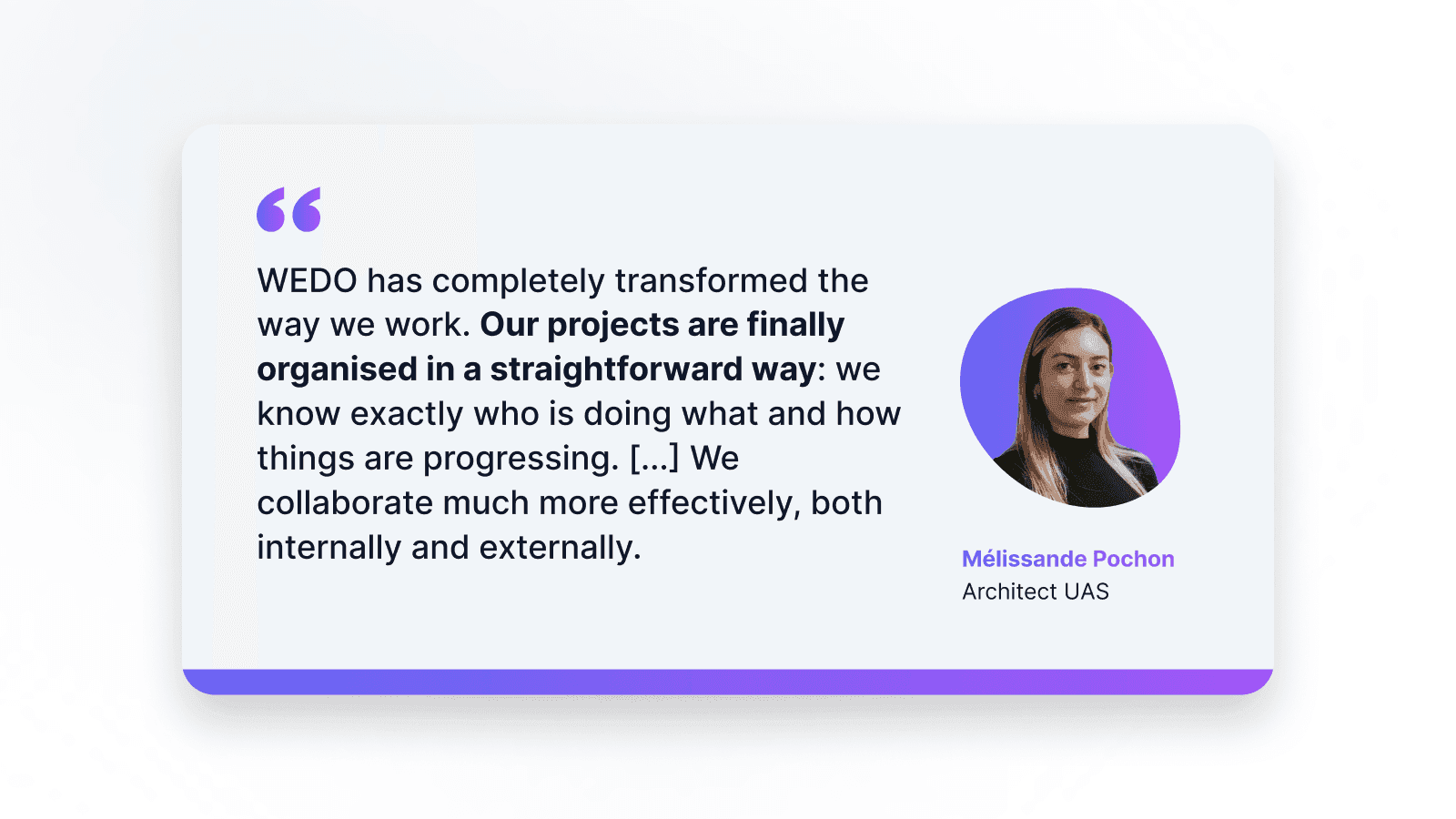
Photo credit: Mélissande Pochon - Celynek
Testimonial from Mélissande Pochon, HES Architect, Dessein Architecture
"60% Optimisation for 40% Improvisation.”
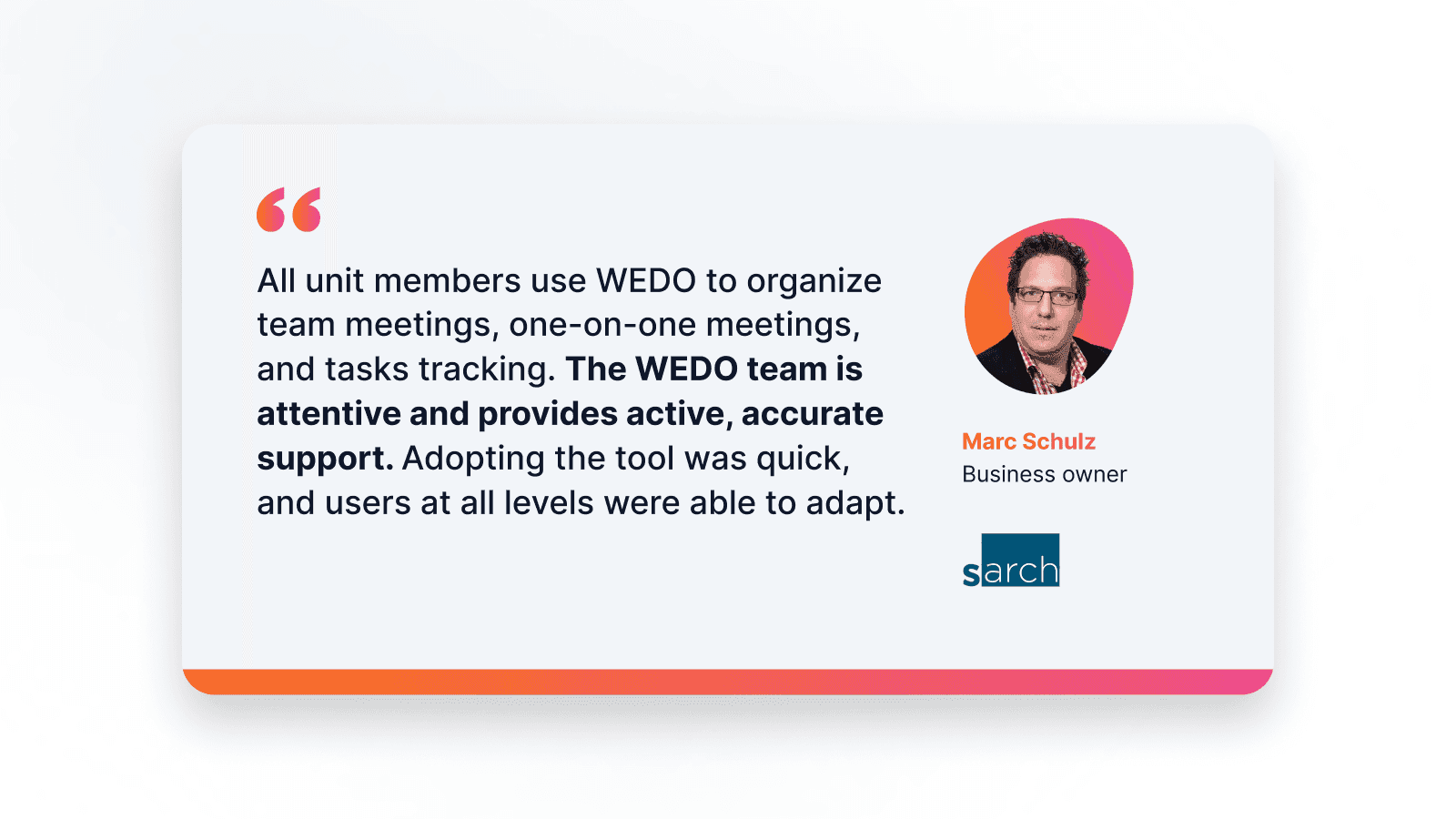
The decision to search for a tool like WEDO came simply because optimising our internal management—especially in project management—had become imperative.
During my CAS in Construction Project Management, an instructor's opening remark really stuck with me: "60% optimisation for 40% improvisation."
It felt like a wake-up call. With Dessein tripling its workforce over five years, it felt like an excellent reason to rethink and strengthen our internal operations. Following that CAS, it was clear that concrete organisational support had to be put in place.
Active in the construction sector, we handle SIA phases 1 through 5 across several cantons. To reduce wasted time and clarify information handover, we needed a tool to help us restore order and maintain a clear vision of everything we do—especially at a time when procedures are becoming increasingly heavy.
With WEDO, we are finally able to structure our projects in a simple way. We directly see the phases, tasks, who is doing what, and how things are progressing. Frankly, it changes everything: we feel better organised and avoid misunderstandings.
Collaboration at the firm has truly evolved since we started using the platform. Exchanges are smoother, everyone knows where others stand, and that allows us to be more responsive. We communicate better!
For meetings, WEDO has become a real reflex. We prepare our agenda items in advance, log decisions and tasks during the discussion, and then easily track what needs to be done. Whether among ourselves or with clients and external partners, it helps us stay aligned.
Honestly, the main benefits for us are saved time, clarity, and peace of mind. We feel more organised, track our projects better, and collaborate much more efficiently—both internally and externally.






Struggling to Stay Organized?
WEDO is here to help. Start your free trial now and simplify your work processes! You'll get full access to all features and add-ons for 14 days – invite your team to test it with you!