Next webinar | Ditch the Spreadsheets: Bring Everyone Together and Streamline Your Activities!

WEDO to manage reception desk phone calls
This article explains how to use WEDO to forward tasks that arrive through incoming calls at the reception desk. Distributing tasks from reception via WEDO has the following advantages:
- Written record of the different requests
- Delegation to the right people
- Process without any handwritten notes or post-it notes
- Comments in case of questions
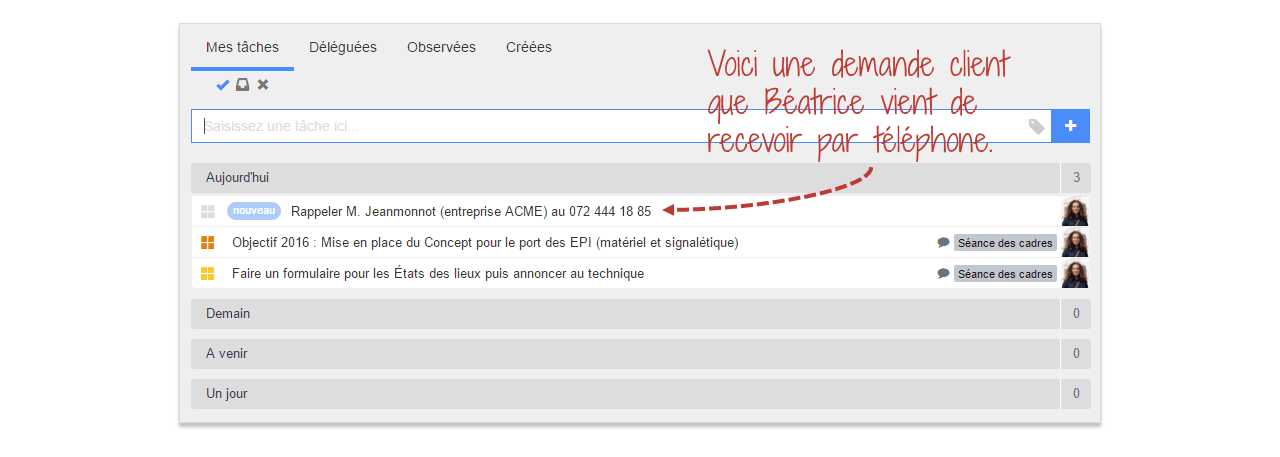
Enter a phone request as a task
You can enter a customer’s request as a task that will appear in your list of tasks to perform:
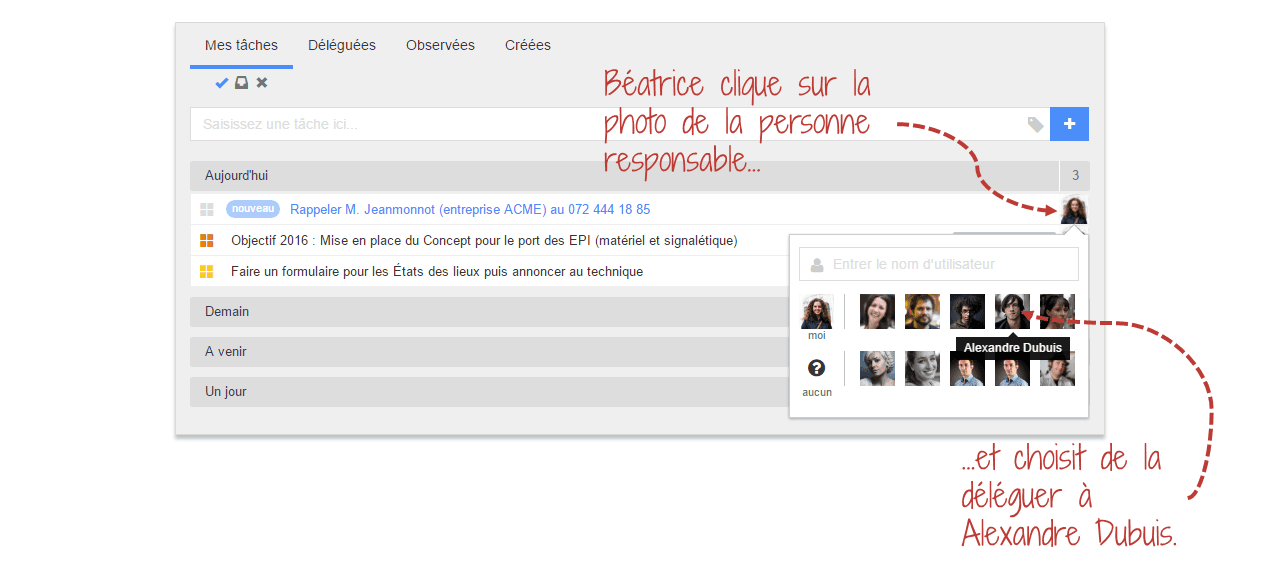
Delegate the task to the right person
According to the task, you can assign it directly to the right person:
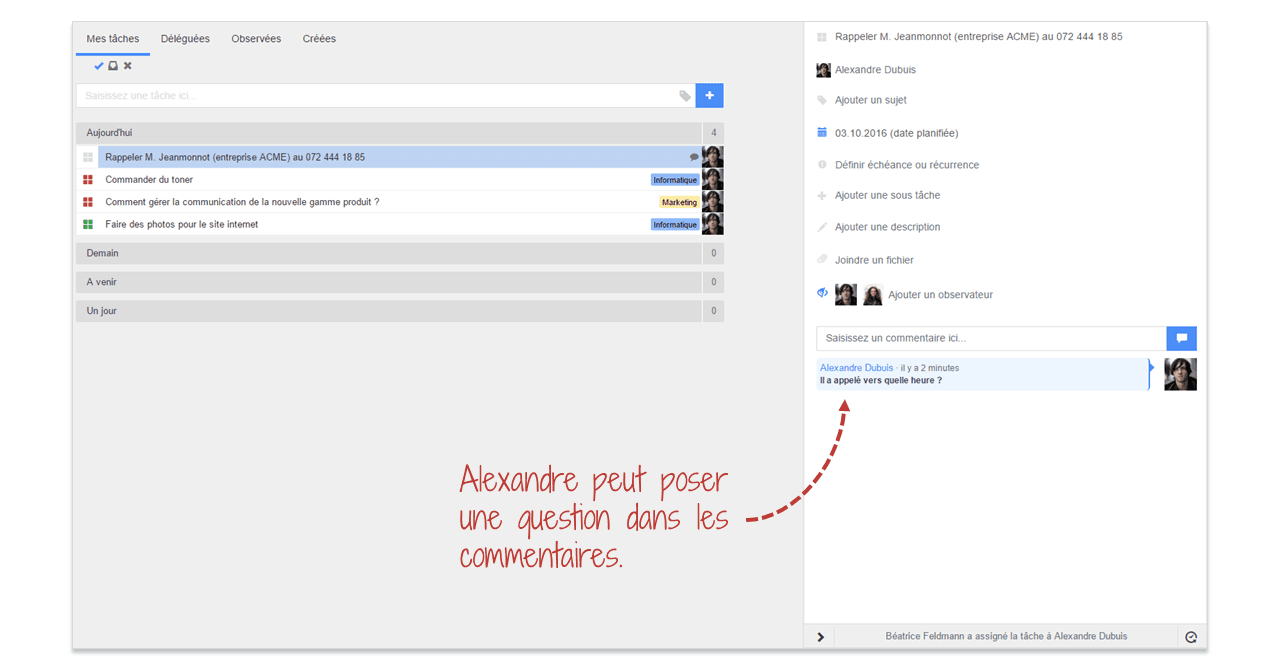
Comments in case of questions
If your colleague has a question, he can simply write it in the comments section:
You will be notified, and you will be able to answer directly:
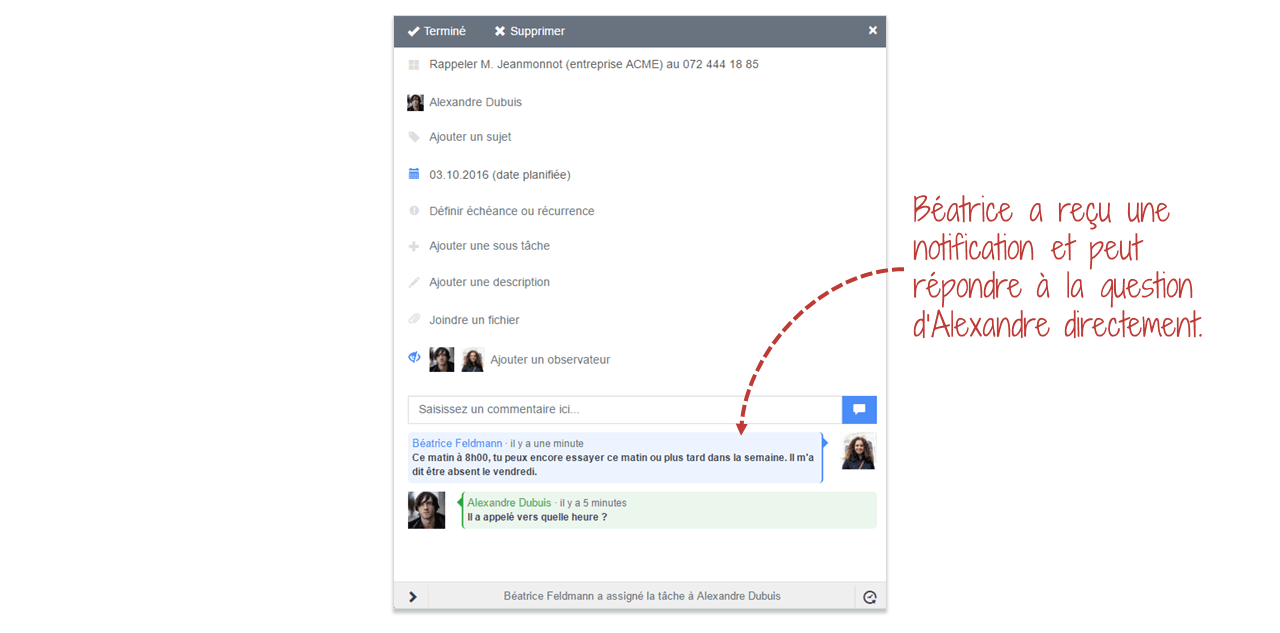
Traceability of discussions concerning a task
All questions and answers linked to a task leave a written record in the comments section:
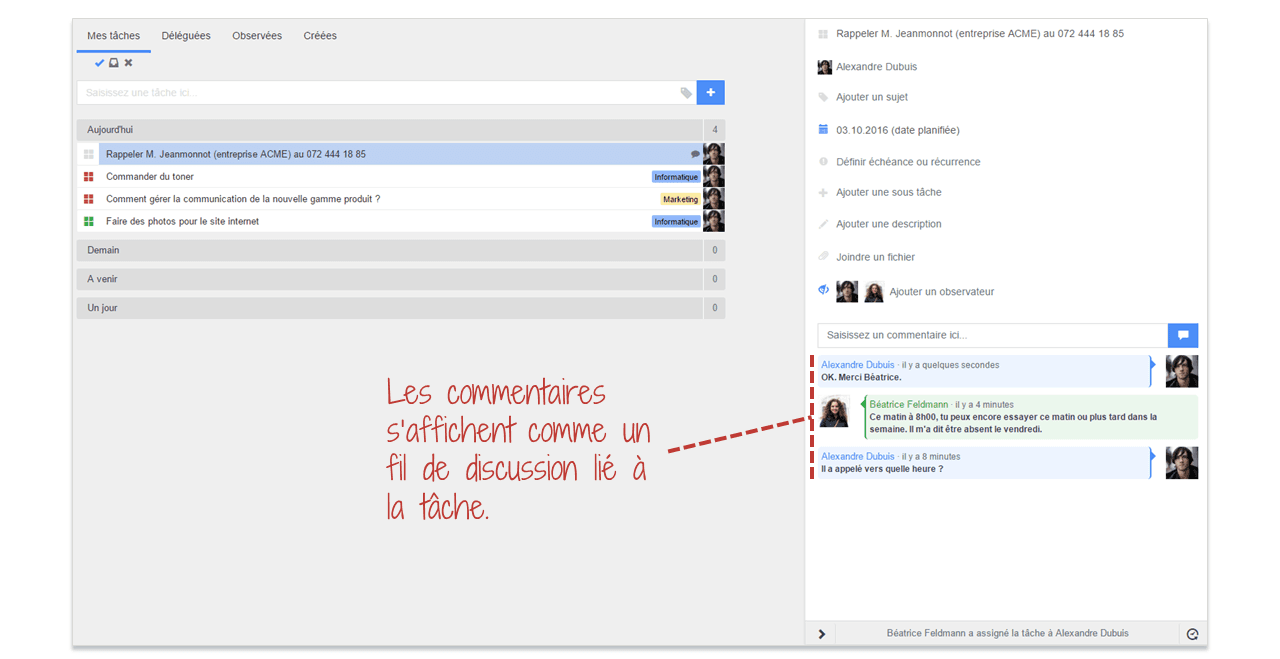
Validated tasks are automatically archived to keep historical records.
Conclusion
Thanks to WEDO, the person who picks up the phone at the reception desk can send the information to the right people, in a quick and simple manner. All this without having to move or write post-it notes. Communication between employees is also improved with the possibility of commenting on tasks.






Struggling to Stay Organized?
WEDO is here to help. Start your free trial now and simplify your work processes! You'll get full access to all features and add-ons for 14 days – invite your team to test it with you!